How to Fix a Slow Wi-Fi Connection at Home (Before Buying Anything)
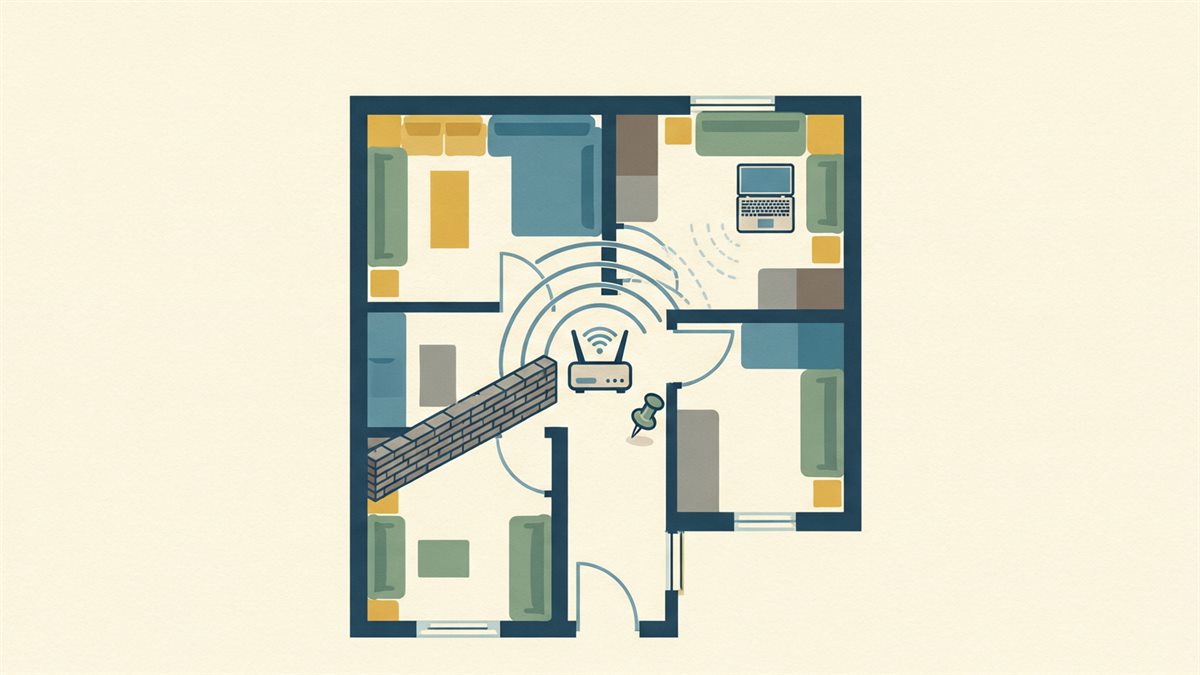
Most “my Wi-Fi is slow” problems are one of three fixable things: distance-and-walls, a crowded channel, or a device on an old band. Fix those before you spend money on a new router.
First, name the real problem
Run a wired or close-to-router speed test. If speed is fine standing next to the router but bad in the back bedroom, you have a coverage problem, not an internet problem. If it is slow everywhere, the line itself or the plan is the issue. Different fixes.
The five-minute, free wins
Restart the router and modem
Power-cycle both for a minute. Shockingly often resolves a degraded session.
Move the router
Central, high and out in the open. A router on the floor behind a TV cabinet or next to a microwave is fighting the building. Height and line-of-sight beat most gadget upgrades.
Use the right band
Modern routers broadcast 2.4 GHz (range, crowded, slower) and 5 GHz (faster, shorter range). Put phones, laptops and streaming boxes on 5 GHz, and leave smart-bulb and far-room devices on 2.4.
The channel problem
Wi-Fi lives on a few channels, and in apartments everyone shares them. A cluttered channel throttles everyone. Most routers offer automatic channel selection — enable it, or manually pick the least-crowded channel using a Wi-Fi analyzer app.
Update and tune the boring stuff
Firmware updates fix radios and add band steering; enable it. Check for a QoS setting if one person’s download grinds everyone else, and turn it on. Separate guest networks keep neighbors off your main bandwidth.
When hardware genuinely helps
If signal simply will not reach a far room, add a mesh node or a wired access point rather than a bigger router. A weak far-corner connection is a coverage job, not a raw-speed job, and one mesh unit placed halfway to the dead zone outperforms a pricier box in the same original corner.
If the whole house is slow, everywhere
That is your internet line or provider, not your Wi-Fi — check the plan speed, look for an outage, and run the speed test at different times before assuming you need new gear.
Related reads

A Backup Plan for Regular People: The 3-2-1 Rule, Set Up in an Hour
Why one copy on one drive is not a backup, how to set up the 3-2-1 approach with tools you already have, and the automated schedule that means you never think about it again.

How to Speed Up an Old Laptop Without Buying Anything
Seven free or near-free fixes — startup pruning, browser hygiene, a drive clean-up and thermal checks — that bring a sluggish laptop back to usable.

Private Browsing and Private Search: What Actually Protects You
The honest limits of incognito mode, why it does not hide you from your own network or the sites you visit, and the handful of real changes that do reduce tracking.